Features
Align strategy to execution with lightweight OKRs
Workspark keeps OKRs simple: leadership sets themes, teams align their OKRs to them, and regular check-ins keep everyone informed and moving. Three levels. Clear alignment. No ceremony.
Top-down strategy, bottom-up alignment
Leadership drives strategy from the top by setting cycles and themes. Teams build alignment from the bottom by writing OKRs that ladder up into those themes. Strategy and execution meet in the middle, on the same page.
Top-down
Cycles
Planning periods set by leadership. A quarter, a half-year, or whatever cadence suits the business.
Top-down
Themes
Organisation-wide priorities set inside each cycle. The anchors that everything else is expected to ladder up to.
Bottom-up
OKRs
Team and individual objectives with measurable key results. Each one aligns to a theme so the work on the ground connects to strategy.
Themes give leadership the big picture
Themes are the strategic pillars leadership sets for each cycle. When a team creates an OKR, they align it to a theme as the strategic context their work contributes to.
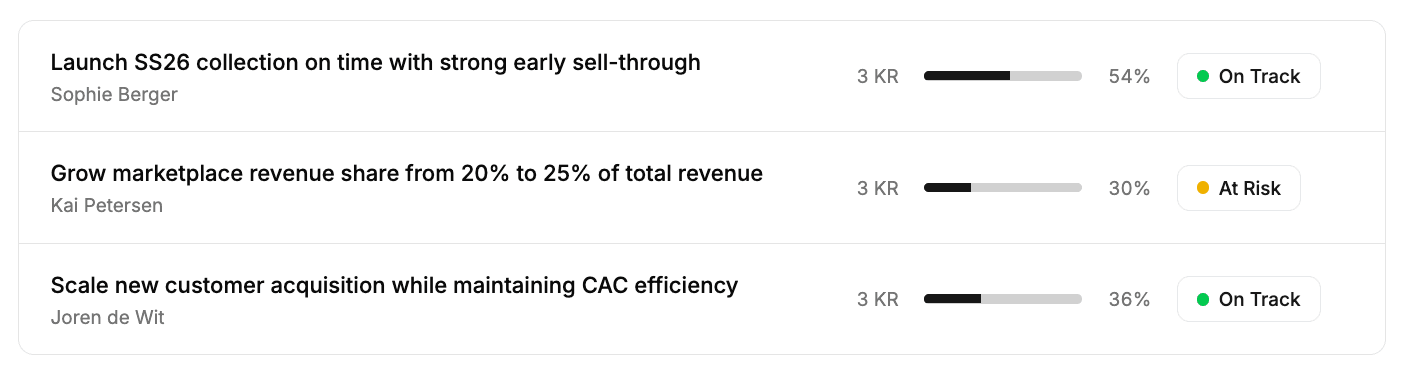
Open any theme and see every aligned OKR in one view, with progress and confidence to deliver shown for each. Leadership gets a clear read on which efforts are on track, which are at risk, and where attention is needed, without waiting for a status meeting.
Generate candidate OKRs from a theme
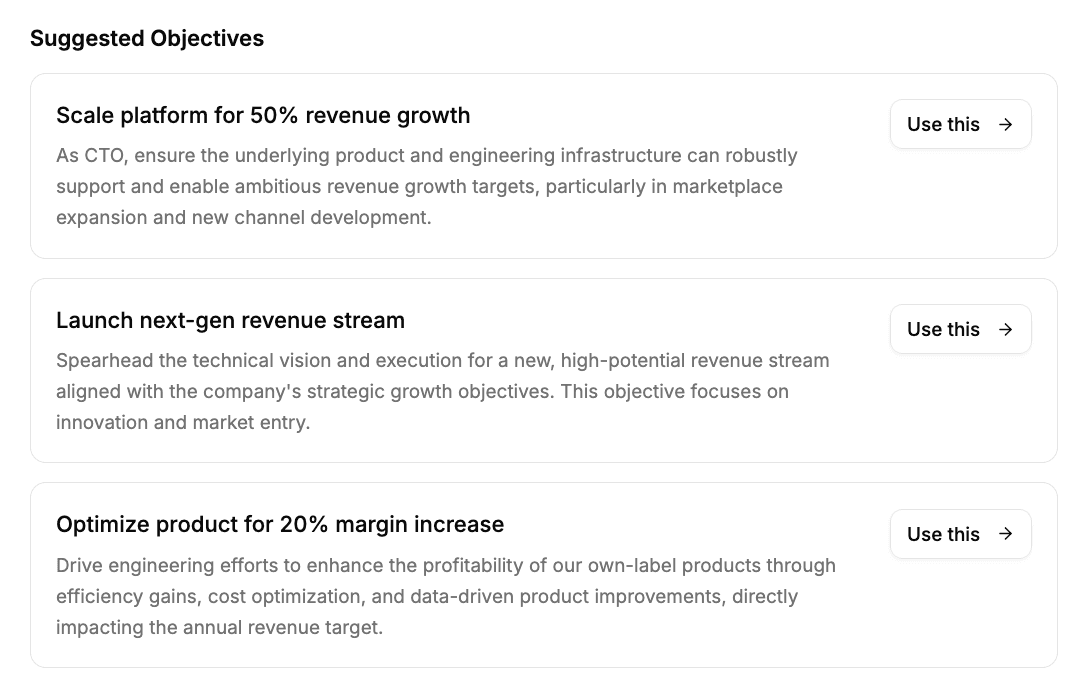
Open the explore sheet from any theme and Workspark generates a set of candidate OKRs as starting points. The sheet already has the theme's context: its strategic intent, description, and scope. That means what comes back is grounded in the actual priorities for the cycle. Add extra context before generating, like the team the OKR is for, a specific person, or a focus area that shapes what good looks like.
The results are starting points, not finished work. Pick the ones that fit, refine the wording, adjust the key results, and take it from there. The value is getting from a blank page to a strong first draft in the time it takes to describe what you need.
Regular check-ins keep every OKR current
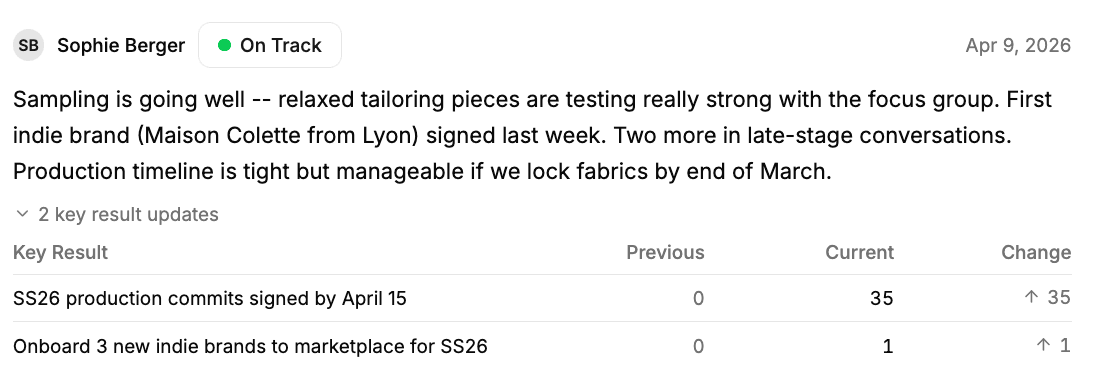
A check-in is a short update an OKR owner or collaborator posts against a specific OKR. Each one updates the key result values (progress recalculates automatically), sets a confidence signal (On Track, At Risk, Off Track, or Blocked), and includes a written comment explaining what is happening behind the numbers.
Leadership gets a real-time read on confidence across the organisation without chasing status updates. The check-in history on each OKR tells the story of how it evolved across the cycle. OKRs that have not had a check-in in over 7 days are flagged automatically, so the cadence stays honest without anyone having to chase it.
Frequently asked questions
- Who can create OKRs?
- Any member can create OKRs within an active or draft cycle. People Ops manages cycles and themes, setting the planning periods and organizational priorities that everyone else aligns to.
- How do check-ins work?
- Team members submit regular check-ins that update key result values and set the OKR's confidence level: On Track, At Risk, Off Track, or Blocked. The system highlights stale OKRs that haven't had a check-in in over 7 days, so nothing gets forgotten.
- Can multiple people work on the same OKR?
- Yes. OKRs support collaborators who can submit check-ins, edit the OKR, and see it on their "My OKRs" page. This makes cross-functional OKRs practical without forcing a single owner.
- How is progress calculated?
- Progress is automatically calculated from key results using the formula: (current value − start value) / (target value − start value). OKR-level progress is the average across all key results. You always see where you stand without manual calculation.
- What happens to OKRs when a theme is archived?
- You choose from three options: cascade (archive the aligned OKRs too), orphan (remove the alignment but keep OKRs active), or realign (move the OKRs to a different theme). No data is lost.