Features
Run engagement surveys that build a trend line
Workspark runs engagement surveys on a fixed set of 15 questions across 6 workplace dimensions. The same questions every cycle mean every result is directly comparable to the last, turning individual survey data into a trend line your team can actually act on.
6 dimensions, 15 questions, every cycle
The question set is deliberately small and deliberately fixed. Each dimension targets an outcome that matters, and running the same questions every cycle is what makes trend comparison possible.
Role Clarity & Resources
4 questionsWhether employees know what is expected, have the tools they need, can access information, and understand how their work connects to company goals.
Manager & Personal Support
3 questionsWhether the direct manager provides support, shows genuine care for the employee as a person, and gives meaningful feedback on career progression.
Growth & Development
2 questionsWhether employees have opportunities to learn and grow, and whether they feel valued within the organization.
Team & Environment
3 questionsSense of belonging on the team, whether peers are committed to quality, and whether people feel safe to voice opinions and ideas.
Leadership & Future
2 questionsConfidence in the senior leadership team and personal optimism about still being at the organization in two years.
Well-being
1 questionWhether employees can maintain a healthy balance between their work and personal life.
Launch in minutes, run on autopilot
People ops sets the cadence once and surveys launch automatically from there. Respondents see one question at a time on a clean form with a rating and an optional comment.
Launching a survey takes minutes, not a planning meeting. The single-question format keeps completion fast, and responses can be saved as a draft so nothing is lost if someone gets interrupted.
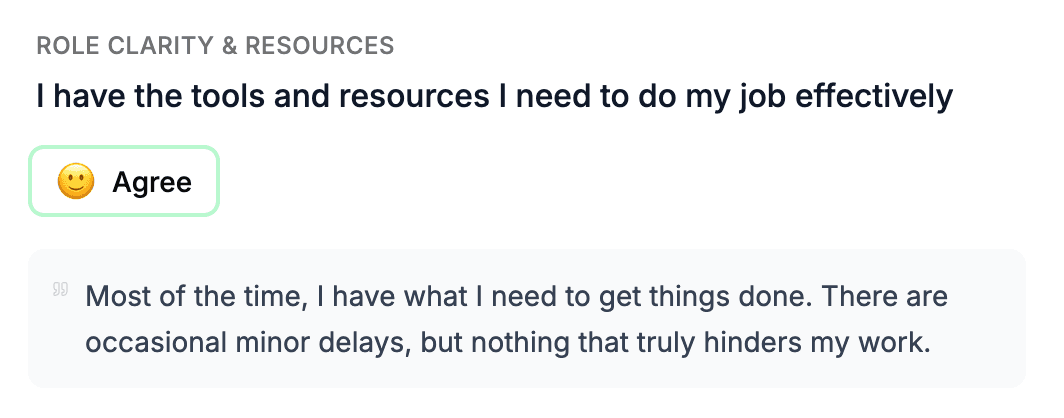
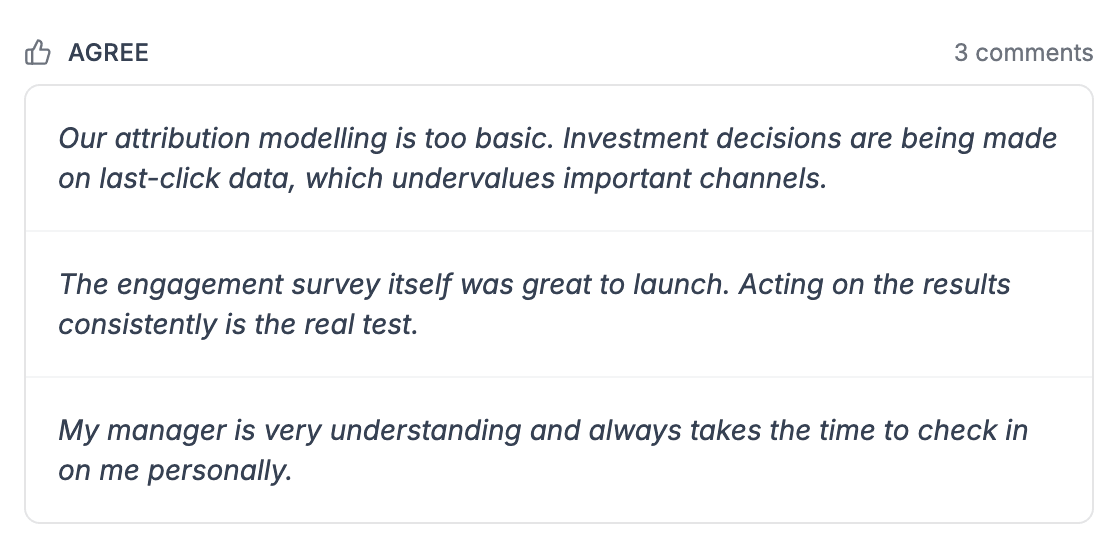
Honest answers, ratings and comments together
Each question takes a rating on a 1 to 5 scale and an optional open comment. Comments are fully anonymous and any segment stays hidden until at least 3 people have responded, so respondents can say what they actually think without worrying about being identified.
Ratings give you the number to track over time. Anonymous comments give you the reasoning behind it, so every trend on the chart comes with the human context that explains what is driving it.
Insights that go beyond a headline score
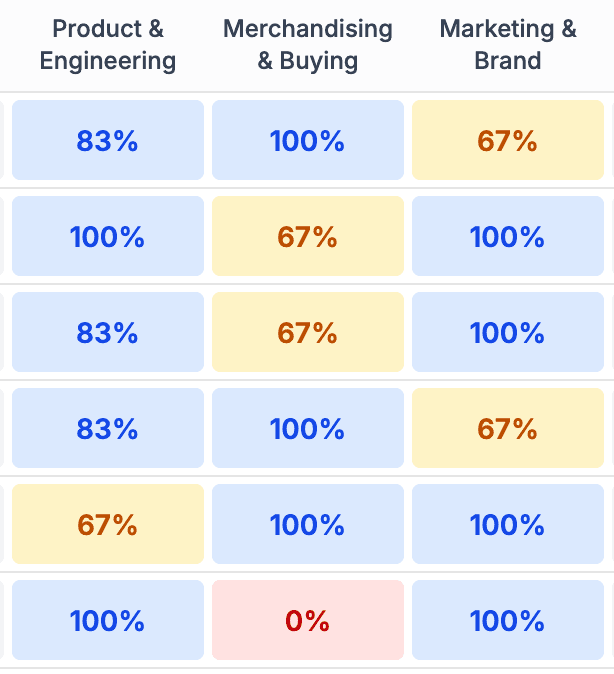
The reporting view gives you multiple ways to read the results. Drill into any question for the full breakdown, chart how answers are trending across cycles, and pivot the results to compare different parts of the organisation.
Instead of a single organisation-wide score, you get the full picture of where engagement is strong, where it is slipping, and where attention is needed. All the signal lives in one place, no spreadsheets required.
Run on a cadence that actually sticks
The cadence controls keep surveys running on time without anyone having to remember when the next one is due.
Configurable cadence
Run surveys monthly, quarterly, semi-annually, or at any interval up to 12 months. The schedule is set once and runs from there.
One survey at a time
Only one survey can be open per organization. This keeps participation focused and avoids survey fatigue.
Automated reminders
Email reminders go out at the halfway point, two-thirds through, and on the final day to anyone who has not yet submitted.
Frequently asked questions
- Why are the questions fixed? Can I customize them?
- The 15 questions are fixed by design. The same questions across every survey cycle enable trend detection. A drop in role clarity or manager support across three quarters becomes a clear, actionable signal. Custom questions would make longitudinal comparison impossible.
- Are survey responses truly anonymous?
- Yes. No one can see which individual gave which response, including managers and people ops. Only aggregated statistics and anonymized comments are displayed. A minimum of 3 responses is required before any segment shows metrics.
- How often should we run surveys?
- You configure the cadence: monthly, quarterly, semi-annually, or annually (1-12 months). Many teams run quarterly to balance regular feedback with survey fatigue. Only one survey can be open at a time to prevent overload.
- Can surveys run automatically?
- Yes. Enable automated scheduling and surveys launch on your configured cadence. The system also sends automated reminders to non-submitted respondents at the halfway point, two-thirds through, and on the final day.
- What reporting do managers get?
- Managers see survey summaries, aggregate reports, trend charts, and anonymized comments scoped to their reporting line. People ops sees the same reports across the entire organization, with filtering by unit, job level, manager, and more.